


Traductor IA VOZ TEXTO IMAGEN
4.7147.00 Reviews
App Specs
- Version
- 5.0
- Updated On
- License
- Free
- Downloads
- 100,000+
- Developer
- CLOPZ
- Categories
- Tools
- Platform
- Android
Screenshots
 Analysis by AppCompare
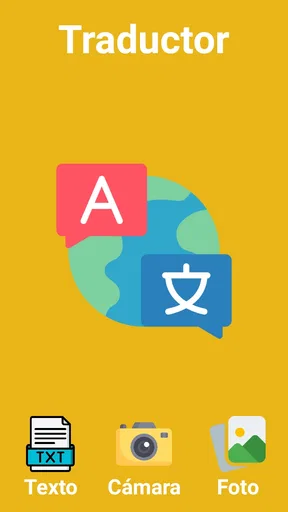
When I need to understand a sign, message, or short document in another language, I usually want an answer before I have time to open a full language-learning tool. That is the situation where Traductor IA VOZ TEXTO IMAGEN makes the most sense. It is a free translation tool from CLOPZ that brings voice, typed text, and photos into one place, rather than making me switch between separate apps.
I tested it with the mindset of someone dealing with an everyday language barrier: reading something unfamiliar, checking a phrase before sending it, and trying to understand text captured by a phone camera. The app is aimed at quick results, not at replacing a teacher, a professional interpreter, or a careful human translation. Its strongest quality is convenience. I can begin with whatever input I already have and move toward a usable translation without building a complicated workflow first.
That distinction matters. A tool that translates a photographed menu has a different job from one that helps me study grammar. This belongs firmly in the first group. It is listed in the Tools category, carries an Everyone age rating, and is free to use. The current release is version 5.0, and the app runs on Android devices using version 7.0 or later. Those details make it approachable for people using older compatible phones as well as newer devices.
From an unfamiliar phrase to a usable answer
I start with the kind of material I have—spoken words, typed text, or a photo—because that choice often matters more than rushing to translate. This section looks at how Traductor IA VOZ TEXTO IMAGEN can help turn an unfamiliar phrase into a practical next step, while keeping the result in perspective. From there, I’ll consider how the app fits when more than one person uses the same device.
Starting with the right kind of input
The first useful decision is choosing how the language reaches me. If the words are already in a chat, note, or web page, typing is usually the cleanest route. If I am looking at a label or sign, an image is more practical. When my hands are occupied or I want to test a sentence aloud, voice is the natural starting point.
This flexibility is more important than it sounds. Many translation apps work well only when the input matches their preferred format. Here, the app’s identity is built around voice, text, and images, so I can adapt the process to the situation instead of retyping everything. I would not call that a dramatic innovation, but it removes a real point of friction during travel, shopping, or quick conversations.
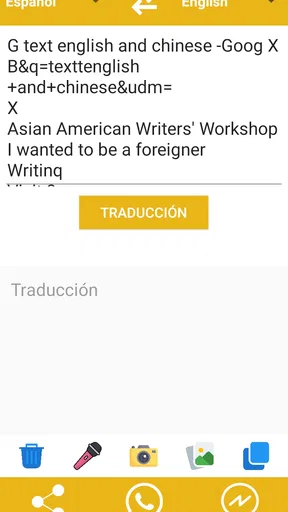
For typed text, I recommend entering a complete thought rather than a collection of isolated words whenever possible. Machine translation has more context to work with when the sentence includes the subject, action, and object. If I am checking a message before sending it, I also keep the wording simple. Short, direct sentences are easier to review than slang-heavy expressions with several possible meanings.
Worth Reading Before You Choose

EA SPORTS FC Mobile 26 Is a Bigger Football Game, but It Takes Time

Flipboard Shows What News Apps Must Do Beyond the Feed

Switching to Android Auto Means Rethinking Your Driving Routine

Google Calendar Makes a Crowded Week Easier to Manage

Ludo King Makes the Most of the Minutes Between Plans

Baby Panda World Brings Quick Play to Modern Phones, but Its Game Library Feels Busy
Voice input has a similar practical rule: speak clearly and pause naturally. I would not use it while standing beside loud traffic and then assume the first result is perfect. A misheard word can change the translation before the language model even begins its work. Reading the recognized text, when it is visible, is a worthwhile handoff in the process.
Using a photo without making the camera do too much
Image translation is most useful when the original text is reasonably clear. I get better results by holding the phone steady, filling the frame with the relevant words, and avoiding a photo that includes an entire wall of unrelated material. Good lighting also matters. A small, sharp label is a better source than a distant sign photographed at an angle.
One of my more useful habits is to photograph only the section I need. If I am checking ingredients, a warning, or an instruction, cropping the visual problem mentally before taking the picture helps me focus on the result. It also makes it easier to compare the translated wording with the original afterward. This is a small workflow improvement, but it saves time and reduces the temptation to trust a messy capture blindly.
Images introduce a handoff that typed translation does not have: the app first has to identify the text before it can translate it. Unusual fonts, reflections, handwriting, curved packaging, and overlapping lines can all make that first stage harder. When the output seems strange, I do not immediately blame the translation. I retake the image from a straighter angle and check whether the source itself was read correctly.
Moving through the translation step
Once the input is ready, the app’s job is to turn it into another language quickly. The store summary presents it as working with all languages, which makes it attractive for broad travel use rather than a narrow pair of popular languages. Still, “all languages” should not be interpreted as a guarantee that every sentence, dialect, image, or technical expression will have equal quality.
Language direction is another point where I slow down. Before accepting a result, I check that the source and target choices match what I intended. Automatic detection can be convenient for a clearly written sentence, but a short phrase, a name, or a word shared by several languages may be ambiguous. When the stakes are higher, manually selecting the languages is the safer habit.
The app is best at giving me a practical first understanding. That might be enough to decide which queue to join, what a button does, or whether a message is generally friendly or urgent. It is less suitable as the only authority for a contract, medical instruction, legal notice, or a delicate professional email. In those situations, I want a second check from a fluent speaker or a specialized translation service.
That limitation is not unique to this app, but it changes how I judge it. I am not asking it to produce publication-ready prose. I am asking it to shorten the distance between an unfamiliar language and a sensible next action. For that purpose, speed and input flexibility matter more than literary elegance.
The handoffs that decide whether the workflow succeeds
A translation workflow has several handoffs: my surroundings become a voice recording, typed phrase, or image; that input becomes recognized language; the recognized material becomes a translation; and the translation becomes a decision. Errors can enter at every stage. Thinking about the chain makes the app more useful because I know where to verify instead of treating the final sentence as unquestionable.
For example, imagine I am in a pharmacy abroad and find instructions on a box that I cannot read. I take a close, well-lit photo, check whether the important lines were captured, and translate them. If the wording concerns dosage or timing, I use the result to understand the general topic, then ask a pharmacist for confirmation. The app helps me start the conversation; it should not be the only safety check.
In a restaurant, the same process has a lower risk. I can photograph a menu section, translate it, and compare the result with visible prices or familiar ingredients. If one item looks confusing, I can show the original to staff and ask a short follow-up question. Here the app acts as a bridge between the printed page and a human exchange.
Voice is especially useful when the handoff is conversational. I can say a short request, inspect the translated wording, and use it to support a basic interaction. I would keep sentences short and avoid combining several requests at once. Separating “Where is the station?” from “Can I pay by card?” gives me clearer checkpoints than speaking a long paragraph and hoping every part was recognized correctly.
Typed input is the most controlled option when I am preparing a message. I can remove names, jokes, abbreviations, and unnecessary detail before translating. That makes the result easier to judge. A generic alternative may offer more writing tools, but the focused input choices here make quick translation feel less like a document project and more like a direct answer.
What the result is good for
The result I want from this app is usually functional understanding. I want to know what a sign asks me to do, what a short message means, or how to express a straightforward request. In those moments, having text, voice, and image translation together is more useful than a tool that handles only copied text.
Its broad language positioning also helps when a trip crosses more than one language area. I do not need to decide in advance that I will use only one language pair. That said, I would still prepare important phrases before traveling and keep a backup method available. Translation tools depend on the quality of the input and the situation around me, so convenience should not become overconfidence.
The app’s public reception suggests that many people find this basic promise valuable: it has a 4.7 average from around 300 ratings, with over 100K installs. I treat that as a useful sign of adoption, not as proof that every language combination works equally well. Reviews and ratings can tell me that the general experience is appealing, while my own needs determine whether the specific workflow fits.
Because it is free, the barrier to trying it is low. I can see the appeal for a traveler who needs occasional help, a student checking a phrase, or someone communicating with relatives in another language. The Everyone rating also makes it suitable for general household use, although younger users should still learn not to share private conversations or sensitive documents casually with any translation tool.
Where the flow breaks down
The first weak point is source quality. A blurry photo, a quiet voice recorded in a noisy place, or an incomplete sentence can produce an answer that looks polished but rests on a bad input. The app cannot reliably repair every problem introduced before translation begins. My practical fix is to repeat the input in a cleaner form rather than endlessly editing the result.
The second weak point is context. A short phrase may have several meanings, and a literal translation can sound unnatural or even misleading. This is particularly important with humor, idioms, sarcasm, regional expressions, and messages where politeness matters. If the social consequence of sounding rude or confusing is significant, I would ask a fluent person to review the final wording.
Photos can also fail in ways that are easy to overlook. A camera may capture decorative text, a brand name, or a partial line while missing the instruction that gives it meaning. I find it safer to translate a small group of related lines and then compare the result with the complete visual context. One isolated sentence is not always enough to understand a notice.
Voice has its own trade-off. It is faster than typing, but it gives me less control over spelling and punctuation before the translation stage. Accents, background noise, and fast speech make it a poor choice for precise names, addresses, or numbers. For those, I prefer typing or taking a clear photo and checking every character.
This is also where a more specialized alternative may be better. Someone studying a language seriously may prefer an app with lessons, pronunciation feedback, saved vocabulary, and grammar explanations. A professional writer may need terminology management and editing controls. A business handling confidential material may require a service with documented privacy and administrative features. Traductor IA VOZ TEXTO IMAGEN is not the right replacement for those categories simply because it can translate several input types.
Small habits that make the app more dependable
I would begin by translating the smallest complete unit that can carry the meaning. A full paragraph is not automatically better than two or three related sentences, especially when the image contains columns, headings, and captions. Breaking a dense source into logical pieces gives me more opportunities to spot an incorrect reading.
Next, I would use back-checking for anything important. After translating a message I plan to send, I can translate the intended meaning again in the opposite direction and look for major changes. This is not a substitute for a fluent reviewer, but it can reveal when a sentence has drifted far from what I meant.
I also avoid treating a confident-looking result as a verified fact. Translation output can be grammatically smooth while still choosing the wrong sense of a word. When a result affects money, health, travel timing, or legal obligations, I use the app to identify the issue and prepare a question for a person who can confirm it.
Finally, I keep the workflow practical. If the app gives me enough understanding to act safely, I stop there. I do not spend several minutes polishing a translation that is only needed to identify a menu item. Conversely, I do not rush through an important instruction just because the tool returns an answer quickly. The right level of checking depends on the consequence of being wrong.
Who should install it
I would recommend this tool to people who regularly encounter short, unexpected language barriers. Travelers can use photos for signs and menus, voice for simple exchanges, and text for messages. Students can quickly check wording while reading. Families with multilingual communication needs may appreciate having several input routes in one free app instead of maintaining separate tools.
It is also a sensible choice for someone who dislikes complicated translation interfaces. The central idea is easy to understand: provide words by typing, speaking, or photographing them, then use the translated result as the next step. The app’s popularity and strong average rating reinforce that it has found an audience for this straightforward use case.
I would skip it as my main solution if I needed deep language instruction, formal document translation, high-stakes interpretation, or extensive control over terminology. I would also be cautious if my main source is poor-quality handwriting or specialized technical material. In those cases, a human or a purpose-built professional service is a better fit.
My final take after following the full workflow
What I like most about Traductor IA VOZ TEXTO IMAGEN is not a single translation result. It is the way the app lets me begin with the material already in front of me. A photo, spoken sentence, or typed phrase can become a workable starting point, and that is exactly what I need in quick real-world situations.
The honest trade-off is that convenience does not remove the need for judgment. I still need to frame images carefully, speak clearly, check language direction, and recognize when context matters more than a literal sentence. Those habits are part of using the app well, not signs that it has failed.
For a free Tools app from CLOPZ, version 5.0 offers a practical route from confusion to basic understanding on compatible Android devices. I would keep it available for travel, casual communication, and quick checks, while reaching for a human or specialized alternative whenever the wording carries serious consequences. If that matches your needs, it is an easy app to try and a useful one to keep in reserve.
Pros
- Translates spoken phrases quickly for everyday conversations.
- Text translation works with many commonly used languages.
- Image translation can read signs
- menus
- and printed documents.
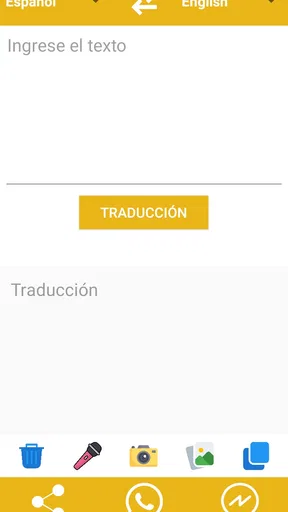
- Simple interface makes core tools easy to find.
- Useful travel companion when you need a quick translation.
Cons
- Accuracy may drop with accents
- slang
- or noisy surroundings.
- Some features may require an internet connection to work properly.
- Image results can be affected by blurry photos or unusual fonts.
- Advanced options may be limited compared with dedicated translators.
- Privacy details should be checked before uploading voice or images.
FAQs for Traductor IA VOZ TEXTO IMAGEN
What is Traductor IA VOZ TEXTO IMAGEN and what can it translate?
Traductor IA VOZ TEXTO IMAGEN is an AI-assisted translation app designed to work with several types of input. You can generally enter text manually, speak into the microphone, or use the camera to scan words and sentences from images. It may be useful for travel, studying, reading signs, or understanding documents, although translation quality can vary depending on the language pair, audio clarity, image quality, and the complexity of the content.
Does Traductor IA VOZ TEXTO IMAGEN require an internet connection?
Most AI translation features depend on an internet connection because voice recognition, image processing, and advanced language translation may be handled through online services. Basic functions might work differently depending on the version installed, but users should not assume that the app provides complete offline translation. Before traveling or using it without mobile data, check the app’s settings and description to confirm which languages and features are available offline.
How accurate are the voice, text, and image translations?
The app can be convenient for everyday phrases and general understanding, but it should not be treated as a replacement for a professional translator. Voice results may be affected by background noise, accents, pronunciation, or rapid speech. Image translation can also struggle with blurry photos, unusual fonts, handwriting, curved surfaces, or poor lighting. Always review important translations, especially for legal, medical, academic, or business purposes.
Is my voice, text, or camera content safe when using the app?
Before using Traductor IA VOZ TEXTO IMAGEN, review its privacy policy and the permissions requested during installation. Voice translation may require microphone access, while image translation needs camera or photo-library access. Depending on how the service operates, submitted content could be processed online. Avoid entering passwords, confidential documents, personal identification details, or sensitive conversations unless you understand how the app handles, stores, and protects that information.
Is Traductor IA VOZ TEXTO IMAGEN free to download and use?
The app may be available to download at no initial cost, but free access does not always mean that every feature is unlimited. Some versions can include advertising, usage limits, premium language packs, subscriptions, or in-app purchases for advanced AI tools. Check the current Google Play or App Store listing before downloading, paying particular attention to subscription terms, trial periods, cancellation instructions, and whether charges renew automatically.


